
ADVERTISEMENT
One roommate may pay for dinner, another may cover the internet, and a third may buy groceries. Expense splitting apps for roommates keep shared household bills and payments in one place.
Apps like Splitwise let housemates add costs as they happen, track balances, and record cash or online payments. They make rent, utilities, groceries, and other shared costs easier to manage.
Key Takeaways
- Track shared household bills in one place.
- Add expenses when they happen.
- See who owes whom.
- Record cash and online payments.
- Use an app to keep household costs organized.
How expense splitting apps manage roommate bills
Expense splitting apps keep shared household bills together. In Splitwise, roommates can start a group or connect privately, add expenses and IOUs, and see who owes what. Group totals and balances across groups show everyone the full picture.
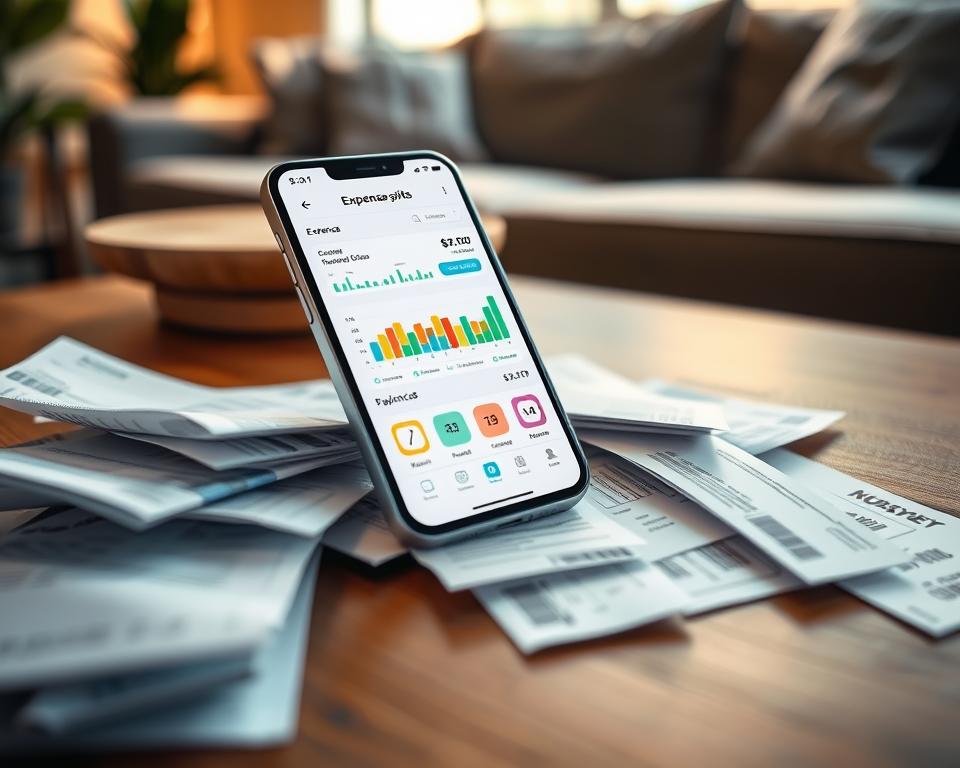
Roommates can add costs offline, while online backups let the group view each entry. Categories, comments, an activity feed, push alerts, and edit history make every charge easier to follow. Splitwise can simplify debts into a repayment plan and support clear household budget management.
ADVERTISEMENT
Which shared costs can roommates track in one app
One app helps roommates track rent, apartment bills, utilities, groceries, and household purchases. Rent payment tracking shows who paid and what each person owes.

Shared household bills may include gas, streaming subscriptions, shared delivery orders, and cleaning supplies. Utility cost allocation can use equal shares or different usage, helping roommates split costs fairly.
Apps such as Splitwise help roommates sort expenses by category and view group totals. Recording each cost quickly can stop one person from paying without getting paid back.
| Cost type | Examples to track | What to record |
|---|---|---|
| Housing | Rent or mortgage costs | Amount paid, due date, and each roommate’s share |
| Utilities | Electricity, water, gas, and internet | Bill total and agreed split |
| Food and supplies | Groceries and communal household items | Who paid and which roommates share the cost |
| Other shared expenses | Subscriptions and delivery orders | Cost, participants, and any custom shares |
Which expense splitting apps should roommates consider
Expense splitting apps for roommates can make shared bills easier to track and settle. Compare splits, reminders, and payment history before your household chooses one.
Splitwise for ongoing household expenses
Splitwise supports expense groups, multiple payers, and equal or custom splits by percentage, shares, or exact amounts. Roommates can add comments, review group totals, and keep payment history records. Recurring bills and expense categories can help organize routine costs.
It supports more than 100 currencies, offline expense entry, cloud backups, CSV exports, and debt simplification. Pro features include receipt tools, spending charts, currency conversion, and expense-history search.
Settle Up for flexible group cost tracking
Settle Up backs up expenses and syncs group information across members. It can send debt reminders through email, WhatsApp, and other social platforms. These reminders may help roommates follow up on balances.
Tricount for simple shared expense lists
Tricount is worth comparing if your household wants a simple way to list shared costs. Check that its current features fit your group before adding bills or relying on it for payment history records.
Splid for quick splits without a complicated setup
Splid may suit roommates who want to split costs with little setup. Review its current options for recurring expense reminders and custom shares. Make sure they match your household routine.
How to choose an app for your household
Choose a tracker that fits your household size and payment habits. The right features make household budget management easier without extra work.
Pick a simple tracker for a small household
For a few roommates with shared bills, choose a clear ledger that is easy to update. Splitwise lets several people pay toward one expense, helping when one roommate covers the bill and another buys supplies.
Choose flexible splits for uneven bills
Not every cost needs an equal split. For unequal expense sharing, Splitwise supports percentages, shares, and exact amounts. These options help roommates account for different usage or room sizes.
Look for recurring expense tools for regular payments
Rent, gas, and internet bills follow a set schedule. Splitwise can repeat bills weekly, every two weeks, monthly, or yearly. It offers recurring expense reminders for bills and debts, while its Pro plan adds category budgets and spending charts.
How to set up a roommate group correctly
In Splitwise, create a household group or track shared costs through private friendships. A group gives roommates one place to add expenses and check balances when everyone has an account.
Choose a clear group name and invite everyone who shares bills. Expense splitting apps for roommates work best when everyone uses one space, keeping costs and payment history records easy to review.
Splitwise offers a group photo, custom avatars, an activity feed, and push notifications. Its edit history shows expense changes, while cloud backups help preserve expense information.
How to add rent, utilities, groceries, and household purchases
Record shared costs while details are fresh. Add the amount, category, date, and payer. This supports rent payment tracking and shows each roommate’s balance.
Enter one-time expenses as they happen
Log groceries, gas, and household purchases soon after checkout. Splitwise lets roommates add expenses on the go or enter them offline. For utility cost allocation, label each bill, note who paid, and choose a category for easy review.
Set up recurring bills on their due dates
Rent, subscriptions, and regular apartment bills can repeat weekly, every two weeks, monthly, or yearly in Splitwise. Set recurring expense reminders near each due date, and record multiple payers when roommates share a bill.
| Expense | How to record it | Useful detail |
|---|---|---|
| Groceries or supplies | Add once after purchase | Include the payer and category |
| Utilities or gas | Enter each bill | Note the bill date and who paid |
| Rent or subscriptions | Set a repeat schedule | Choose the due-date interval |
How to split expenses fairly
Fair splits depend on household needs, not just the number of roommates. Splitwise lets members divide costs evenly or enter custom amounts, shares, and percentages.
Divide equal costs evenly
Shared household bills that benefit everyone equally often work best with an even split. Roommates can divide rent for equal-sized rooms or shared cleaning supplies by roommate count.
Assign custom shares for different usage
Some costs reflect personal use. Roommates can set custom amounts when one person uses more of a service or pays more for a household purchase. Splitwise can record multiple payers for one expense.
Use shares or percentages for mixed households
When equal shares do not fit, a household can divide vacation costs by shares when newborns need extra space. This unequal expense sharing can support recurring utility cost allocation. Splitwise subscribers can set default group splits, such as 60% and 40%, in group settings.
How receipts and notes help prevent roommate disputes
A clear receipt gives roommates a shared record of what a charge covers. Add a short note with the store, date, or purchase reason. Splitwise saves expense notes and edit history, helping explain later changes.
With Splitwise Pro, receipt scanning can capture and itemize paper receipts. It offers cloud storage for high-resolution receipts, up to 10 GB, plus expense-history search. Scanning may work differently with an existing photo, so check details before trusting itemized entries.
Some tools, such as Divvy, let users upload receipts and split costs by item. Keep payment history records with each receipt and a brief note. Roommates can review a charge’s source and see how each share was set.
How roommates settle balances and record reimbursements
Check the app’s balances to see who owes whom and how much. Splitwise can turn shared debts into a repayment plan and show who should pay next. Roommates can settle balances with cash, online banking, or a payment app.
Splitwise tracks balances and lets roommates record cash payments. In the U.S., it lists Venmo and PayPal integrations. Splitwise does not transfer money between people, so roommates must pay outside the app.
Venmo can send and receive money, and users can send reimbursement requests or reminders. It does not automatically split shared expenses. Record each payment in the expense app so payment history records stay clear for the household.
| Tool | What it helps roommates do | What to keep in mind |
|---|---|---|
| Splitwise | Track balances, record cash payments, and simplify debts into a repayment plan. | Roommates complete transfers outside Splitwise, using a listed integration or another payment method. |
| Venmo | Send or receive money and request payment with reminders. | It does not automatically split household expenses, so record the settled amount in the expense app. |
What privacy and security settings to check
Before adding roommates, review the app’s privacy policy and terms of service. Splitwise says expenses are backed up online, and group members can sign in to view balances and add expenses. Share only details your household needs for clear payment history records.
Splitwise’s App Store privacy details say the app may collect location, contact information, user content, identifiers, usage data, and diagnostics. Some data may be linked to a user’s identity. Consider what you enter and who can see each group’s expenses.
The available information does not specify encryption standards or account security settings. Check the app for current sign-in and privacy options. Keep household budget management details limited to trusted group members.
How app fees and payment integrations affect your choice
Many expense splitting apps for roommates are free, with paid tools available as upgrades. Splitwise is free with in-app purchases, so roommates can track shared costs without buying Pro.
Splitwise Pro renews monthly or yearly, depending on the plan. Prices vary by country, and the full price appears before the first payment. Pro includes receipt storage and scanning, currency conversion, category charts, expense search, and JSON backups.
Check how an app handles payments before sending reimbursement requests. Splitwise tracks balances but does not transfer money itself. In the U.S., it integrates with Venmo and PayPal; Paytm is listed for India.
| App or service | Cost or payment detail | What roommates should know |
|---|---|---|
| Splitwise | Free, with optional Pro plans | Pro prices vary by country and renew monthly or yearly. Payment integrations include Venmo and PayPal in the U.S. |
| Settle Up | Listed at $1.99 | Check the current price and available payment options before choosing it. |
| Divvy | Listed at $1.99 | Confirm current pricing and payment features in the app. |
| Venmo | Transfers listed as free | Roommates can use it to pay one another, while the expense app keeps the shared balance record. |
Keep the roommate ledger accurate with a monthly check-in
Set aside a few minutes each month to review shared bills, balances, and reimbursements. Check that rent, utilities, and other recurring costs are in the right group. Splitwise offers weekly, biweekly, monthly, and yearly bill schedules, plus recurring expense reminders near due dates.
Use the check-in to find missing costs or wrong shares. Splitwise shows group totals, categories, and current balances. Its edit history can explain changes, while Pro subscribers can search expenses and review category charts for household budget management.
Before closing the month, confirm reimbursements are recorded and save a copy of your payment history records. Splitwise supports CSV exports, and Pro users can download JSON backups. A clear monthly record makes starting the next cycle easier, with everyone on the same page.




