
ADVERTISEMENT
Adults should get at least 150 minutes of moderate activity each week. Workout timer apps for home can split this goal into short sessions using bodyweight workout routines with little or no gear.
Some timers offer more than a simple countdown. Exercise Timer supports timed and rep-based exercises, plus HIIT, Tabata, and yoga formats. Its listing says it can run in the background while your phone screen is locked.
Key Takeaways
- Timer apps can help organize short home workouts.
- Exercise Timer supports timed and rep-based exercises.
- Some apps offer HIIT, Tabata, and yoga timer formats.
- Bodyweight workout routines can be done without extra gear.
- Check each workout’s equipment needs before you begin.
How workout timer apps make no-equipment training easier
An interval training timer can guide a full bodyweight session from warm-up through cooldown. In Exercise Timer, set work and rest periods, group moves into circuits, and add as many intervals as needed. Add a short pause or quick transition to match your pace.
Audio timer cues announce the next exercise, while bell sounds and vibration track changes with your screen locked. Exercise Timer logs workouts, notes, and exercise details, with charts showing weekly, monthly, and yearly activity.
ADVERTISEMENT
Which timer format fits your home workout?
The best format depends on how you want to pace each move. Exercise Timer offers timed intervals, circuit options, and flexible tools for sets you control.
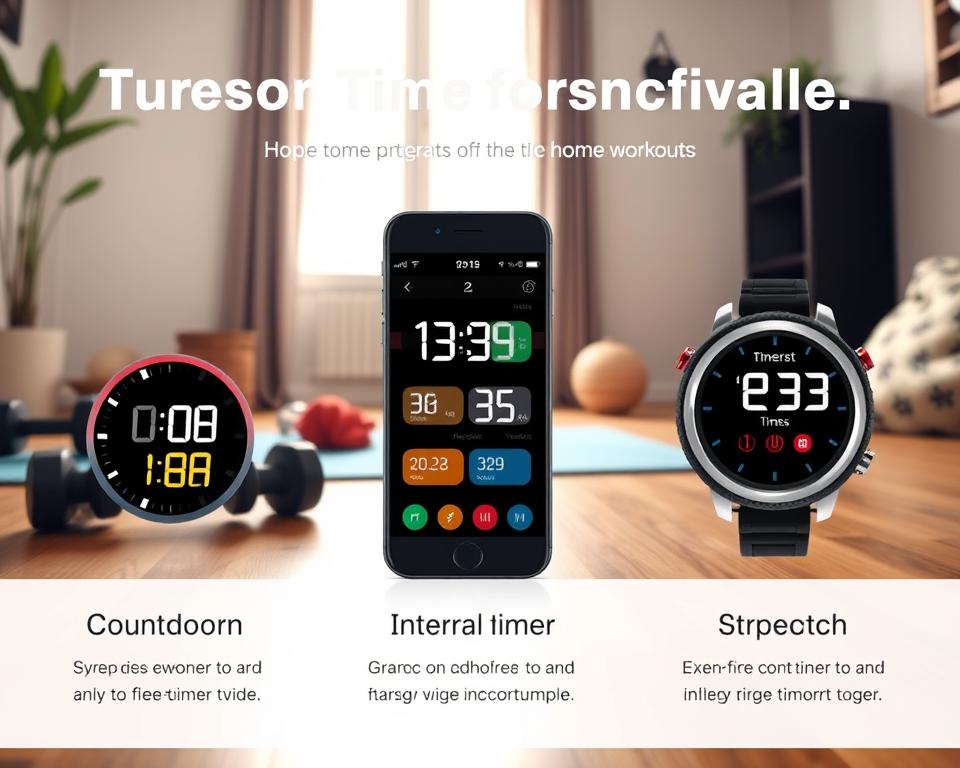
Interval timers for timed work and rest
Interval timers switch between work and rest periods. A Tabata countdown can guide a Tabata-style session, while grouped exercises repeat for circuit training rounds. Set timing to match your pace; these modes do not specify exact work-to-rest ratios.
EMOM and AMRAP timers for structured circuits
EMOM means “Every Minute on the Minute.” Start a move at the beginning of each minute, then use leftover time to rest. An AMRAP timer counts down a set period while you complete as many reps as possible.
Exercise Timer includes both modes and a seven-minute workout timer for circuit training rounds.
Stopwatches and countdowns for flexible sessions
A stopwatch helps when you want to track time without fixed intervals. For rep-based exercises, finish each set at your pace and tap “next” when ready. A countdown gives the session a clear end point without pacing every move.
| Format | How it works | Useful for |
|---|---|---|
| Timed intervals | Alternates work and rest periods | Following a set pace for each exercise |
| EMOM | Begins a task at each minute mark | Organizing repeated circuit training rounds |
| AMRAP | Tracks a set period for as many reps as possible | Flexible, effort-based circuits |
| Stopwatch or rep-based timer | Lets you control the pace and advance when ready | Sets that vary in length or difficulty |
Should you use a standalone timer or a guided workout app?
Choose a standalone timer when you prefer setting your own pace and exercises. A guided app may work better when you want a coach to plan your session. Both support a HIIT workout planner approach, but they offer different levels of control.
Standalone timers for building your own routine
Exercise Timer lets you create routines with timed or rep-based moves, so you can fit each workout to your space and fitness level. Its coach feature lets trainers share plans with clients and track their progress. This exercise interval programming works well when you know which moves you want to use.
Guided apps for following a ready-made workout
Nike Training Club offers single workouts, on-demand and live classes, plus longer programs led by certified instructors. Boostcamp has more than 1,000 programs, a custom program builder, and free workout logging. These options add structure when you prefer following a prepared plan instead of building each session yourself.
Which standalone timer apps handle custom intervals?
Seconds Interval Timer, SmartWOD Timer, and Tabata Timer and Interval Timer can help you design your own session. App features may change, so check each current store listing before choosing an interval training timer.
Seconds Interval Timer
Check whether its current version lets you set work and rest periods, group exercises, and save your routine. Clear controls can make a custom interval training timer easier to use between moves.
SmartWOD Timer
Review the listing for workout modes you plan to use, such as EMOM or AMRAP. Also check round settings and voice or sound cues, which can affect how well the timer fits your routine.
Tabata Timer and Interval Timer
Look for adjustable work and rest lengths, round controls, and a clear Tabata countdown. The app name alone does not confirm its current features.
Exercise Timer provides a useful comparison: it supports custom intervals, rest periods, exercise groups, Tabata, EMOM, AMRAP, and rep-based exercises. Use these features as a checklist when reviewing the three apps.
| App | What to verify in its current listing | Useful comparison points |
|---|---|---|
| Seconds Interval Timer | Custom work and rest periods, exercise groups, and saved routines | Exercise groups and adjustable intervals |
| SmartWOD Timer | Available workout modes, round settings, and audio cues | EMOM and AMRAP support |
| Tabata Timer and Interval Timer | Tabata settings, adjustable rounds, and rest controls | Tabata countdown and custom intervals |
Which guided apps include timed bodyweight workouts?
Guided apps show exercise demos and provide a plan, reducing setup time for each move. Compare workout styles and equipment needs before choosing workout timer apps for home.
Nike Training Club
Nike Training Club is free on iOS and Android, with hundreds of strength, HIIT, cardio, yoga, Pilates, and mobility workouts. Choose a single session, a structured program, or an on-demand or live class.
Many sessions use bodyweight exercises or minimal gear, and equipment filters narrow your choices. This helps you find bodyweight workout routines that fit your space and available gear.
FitOn
FitOn may suit you if you want a guided workout app. Review current workout descriptions to confirm whether sessions are timed and use bodyweight exercises. App features and availability can change, so check details for your device before starting.
How do you build a no-equipment workout in a timer app?
Start with a warm-up, add each move, and set rest periods between exercises or groups. This exercise interval programming keeps your session organized without equipment.
Exercise Timer supports timed intervals and rep-based moves. Set 30 push-ups and 50 jumping jacks, then rest for 10 seconds. Complete each move at your own pace, then tap “next” to continue.
Add repeated circuits and a cooldown to complete your bodyweight workout routines. Exercise Timer’s update notes list more than 2,000 instructional videos in its exercise library.
| Workout stage | What to add | How it works |
|---|---|---|
| Warm-up | Easy movement or a short timed interval | Prepares you to start the session |
| Exercise group | Timed moves or rep targets | Lets you mix intervals with moves you do at your own pace |
| Rest | A brief recovery period | Separates exercises or circuit rounds |
| Cooldown | Gentle movement or stretching | Gives your session a clear finish |
How should you set work, rest, and round lengths?
Set each exercise and rest interval to match your plan. Exercise Timer lets you add as many intervals as needed, building a short sequence or a longer circuit. No single work or rest length suits every fitness level.
For simple rest period tracking, add a 10-second rest after an exercise. Then add another 5-second interval to signal the next move. Adjust these steps for your pace and available space.
Group exercises in order, set the number of repeats, and use circuit training rounds to organize your session.
| Timer setting | Example setup | Purpose |
|---|---|---|
| Exercise interval | Choose a time for each move | Keeps work periods clear |
| Rest interval | Add a 10-second pause | Creates a set break between moves |
| Next-move cue | Follow rest with a 5-second interval | Gives you a brief transition signal |
| Repeat group | Set the exercise group to repeat | Organizes multiple circuit training rounds |
Which audio and screen controls matter during home workouts?
Clear audio timer cues can keep a bodyweight session moving while your phone stays on a shelf. Exercise Timer can announce upcoming exercises by voice and play vibration or bell alerts. It can run in the background with the screen locked, so you can focus on each move.
Its settings include a metronome, several bell sounds, and color-coded exercises. These features can make an interval training timer easier to follow in a busy room or help you keep a steady pace.
The app listing describes Apple Watch syncing. One reviewer found the watch vibration too subtle and said it stopped when the screen went dark. Other users reported sync issues, so watch performance may vary.
How can you use a timer app safely in a small space?
Before you begin, move furniture, cords, and loose rugs away from your workout area. Make sure you can step, reach, and lower yourself to the floor safely. Keep your phone on a stable surface, away from your movement path.
Choose bodyweight workout routines that fit your room. Scale back moves that bring you near walls or furniture. Exercise Timer offers video instructions, while Nike Training Club lets you filter workouts by equipment needs.
Use audio timer cues, such as voice prompts, vibration, or bells, to hear what comes next. Set your phone where you can hear it. Pause the timer if you feel pain or need to adjust your space.
What should you expect from free and paid timer apps?
Free plans cover basic needs, but paid features differ. Nike Training Club is completely free.
Boostcamp and Caliber offer free-forever versions with paid Pro features or coaching options. These apps may suit routines that need more than simple rest period tracking.
Exercise Timer is free to download with in-app purchases. Its listing shows monthly and annual Premium subscriptions, but does not show their prices.
A lifetime purchase costs $69.99. The app requires iOS 17 or later, is designed for iPad, and supports Apple Watch.
TR[Ai]NER by Element 26 lets you try up to three programs for free, but offers no free-forever plan. Its listed options include monthly, three-month, and annual plans.
Check the current listing before paying because plans and prices can change. For workout timer apps for home, compare tools like custom intervals and rest period tracking.
| App | Free access | Paid options | Key detail |
|---|---|---|---|
| Exercise Timer | Free download with in-app purchases | Monthly or annual Premium; $69.99 lifetime purchase | Subscription prices are not stated in the listing |
| Nike Training Club | Completely free | No paid tier noted | Useful for guided workout plans |
| Boostcamp | Free-forever version | Paid Pro features | Core access remains free |
| Caliber | Free-forever version | Paid coaching options | Coaching is an optional upgrade |
| TR[Ai]NER by Element 26 | Up to three programs free | $14.99 monthly, $29.99 for three months, or $99.99 annually | No free-forever option |
Which app setup makes sense for your home routine?
Exercise Timer lets you build sessions with custom work and rest intervals, exercise groups, and rep-based sets. It also offers voice cues, workout logs, and training plans. Use it as a HIIT workout planner for small spaces without extra gear.
For a quick interval session, set a Tabata countdown and choose moves matching your space and fitness level. Keep work periods manageable, with enough rest to move safely between exercises.
Prefer a ready-to-follow plan? Nike Training Club has free instructor-led classes and programs. Boostcamp offers more than 1,000 programs focused mainly on strength training. Choose the easiest setup to use consistently: a flexible timer, a guided class, or both.




