
ADVERTISEMENT
A video interview may not include a live interviewer. Some companies ask candidates to record answers and send them for review. Knowing the format is the first step in how to prepare for video interview questions and appear confident.
Virtual interview preparation matters as much as preparing for an in-person meeting. You can control your space, lighting, and setup. These video interview tips can help you make a strong impression on camera.
Key Takeaways
- Find out whether the interview is live or prerecorded.
- Prepare as carefully as you would for an in-person interview.
- Use your home setup to create a calm, professional space.
- Check your camera, microphone, and internet connection ahead of time.
- Practice clear answers, but keep your delivery natural.
Confirm the video interview format and instructions
Before you plan how to prepare for video interview, confirm the date, time, recruiter’s contact details, platform, and special instructions. Check whether you’ll speak with someone live or record answers on your own.

Prepare for a live video interview
A live video interview happens in real time on Zoom, Skype, Microsoft Teams, FaceTime, or Google Hangouts. An interviewer or panel will ask questions. The hiring team may record, rate, or share the session.
ADVERTISEMENT
Get ready for a one-way recorded interview
A one-way recorded interview may stay open for several days. You’ll usually see or hear each question, get time to prepare, and record an answer before the timer runs out.
Read the instructions for each step. Check the time limits, number of attempts, and whether you can stop or redo an answer. Follow the questions in order, since some platforms don’t let you go back. Practice questions can help you learn how the recording controls work.
Research the company, role, and interviewers
Start your company research on the employer’s website. Read about its values, products, and work culture. Review the role description to understand the job requirements and connect them to your experience.
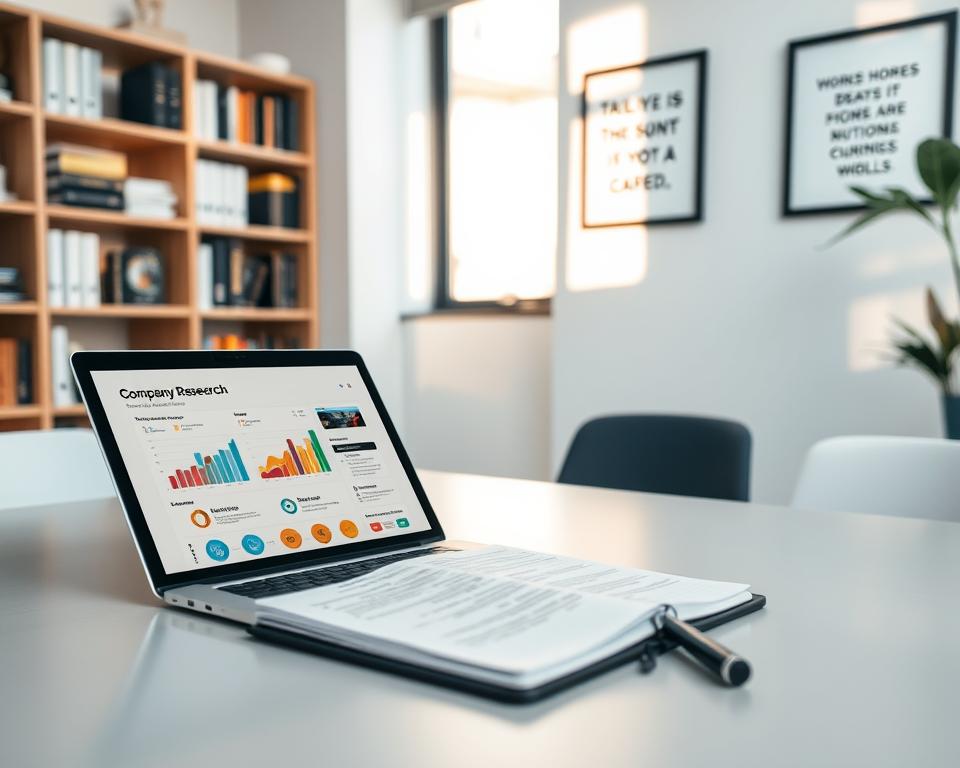
Review the recruiter’s guidance and follow each instruction. Keep your résumé or application nearby, and take notes about the company and role. Good interview preparation includes questions like, “How does the team measure success?”
Test your computer, camera, microphone, and internet
Run a video interview tech check one or two days before your meeting. Test your camera and microphone setup, internet speed, and internet connection stability. Also test the interview platform; a laptop is good, and a desktop works with a webcam.
Check the video platform and account access
Sign in early and confirm you can join the meeting. Practice muting your mic, turning off your camera, and sharing your screen. Update your browser, close extra apps, and silence phone and computer alerts.
Charge your device or plug it in. Headphones can reduce echo and make your voice clearer.
Fix common audio and camera problems
Check that the platform has permission to use your camera and mic. If sound is weak, try a headset or choose a different microphone in settings. Adjust the camera so your face is in view.
For better internet connection stability, use secure home Wi-Fi and avoid public networks. Ask others to limit heavy internet use during your call. Run the platform’s diagnostic test if available.
Set up a clean background and flattering lighting
A tidy professional background and soft light keep the focus on you. Choose a quiet interview space where you can speak freely. Check what the camera shows before the call.
Clear away laundry, posters, and bright artwork. Check mirrors and bookshelves, too. If you use a virtual background or blur effect, test it before interview day.
Position the camera at eye level
Set your camera near eye level and center yourself in the frame. Use a stand for your phone or tablet instead of holding it. For better lighting placement, face a window or put lamps beside your device.
Avoid bright light behind you, which can leave your face in shadow. Sitting a few feet from the background can soften shadows.
Reduce background noise and distractions
Let family members or roommates know when your interview starts, and ask them to keep noise down. Put pets in another room if they might interrupt or appear on camera. A calm setting makes it easier to focus and answer with confidence.
Choose an outfit and grooming routine that look good on camera
Choose a professional interview outfit that fits the employer’s work culture and role. If you are unsure about the dress code, ask your contact and dress one step more formally. Dress as you would for an in-person interview, including professional pants or a skirt in case you need to stand.
For a clear on-camera appearance, choose solid colors such as navy, gray, black, or brown. Skip dense patterns because they can distract viewers on screen. Keep your hair, makeup, and jewelry simple; noisy pieces may draw attention from your answers.
If you wear glasses, adjust your lighting or camera position to reduce glare. A quick screen test can help you spot reflections and check that your video interview attire looks neat.
Prepare clear answers for likely interview questions
Review the job post, résumé, and application before your call. This helps you prepare for common interview questions and choose job-related examples. Practice questions the recruiter shared, too.
Connect your experience to the job
Choose examples that show skills the employer needs, such as problem-solving, teamwork, or clear communication. For behavioral interview questions, use the STAR method to explain the situation, task, action, and result.
Use specific examples without memorizing a script
Write a few key points for each story instead of a full answer. For a recorded interview, listen to the whole question before choosing an example. Be honest about your role, and speak respectfully about former coworkers and employers.
| Question type | What to prepare | How to answer |
|---|---|---|
| Common interview questions | A skill or experience tied to the job | Give a direct answer and a relevant detail |
| Behavioral interview questions | A real example from work, school, or volunteering | Use the STAR method and explain your result |
| Recorded questions | Two or three brief talking points | Listen carefully, pause to plan, and speak naturally |
Practice answering while looking and sounding natural
Use interview practice to get comfortable speaking on camera. Record a few answers, or ask a friend to watch and give feedback.
Check that your words sound clear and your pace feels steady. A warm tone and natural pauses can help you sound engaged.
Look at the interviewer on your screen while listening. When answering, use eye contact with the camera instead of watching your own image.
Sit up straight, smile when it feels natural, and nod to show you’re following along. Pause briefly after each question to allow for online delays.
For a recorded interview, practice with a mirror or a friend. Take a slow breath before you begin, and keep your hands still to reduce fidgeting. These small steps can make confident speaking feel more natural.
Keep notes, your résumé, and questions within reach
Keep brief interview notes near your screen, with your résumé or application. A split screen can show prompt cards beside the video call. Before the interview, review résumé examples of your skills and experience.
Write a few questions for the interviewer and keep them easy to find. Close unrelated windows, and avoid searching the web during the call. A quick glance at your notes is fine, but focus on the conversation.
Use professional video interview etiquette
Treat a live video interview like an in-person meeting. Greet the interviewer warmly and ask how their day is going. A friendly opening builds connection, and a clear thank-you leaves a strong impression.
Good virtual interview etiquette includes listening closely and showing interest. Smile, nod when natural, and say when a point excites you. Sit upright with relaxed arms, look into the camera when answering, and keep your hands still.
Online calls can lag, so pause before speaking to avoid cutting someone off. This small habit supports clear video interview communication. Keep your answers honest and direct; skip exaggeration, filler words, swearing, and criticism of past coworkers or employers.
Calm, respectful professional video call behavior helps the interviewer focus on your skills. If a glitch happens, stay composed and address it politely.
Follow a simple interview-day routine
Use an interview-day checklist to keep your morning simple. Plug in your device, test the camera and microphone, and check your internet and interview platform. Log in at least 30 minutes early to fix any issues.
Choose a quiet room and tell household members your interview time, including setup time. Close unrelated browser windows and silence phone alerts. Keep your notes and questions nearby for your video interview setup.
As part of calm interview preparation, take a few deep breaths before joining. Settle into the space. A calm start can help you focus on the conversation.
Know how to recover from technical issues or interruptions
If a live call freezes, tell the interviewer what happened. During your early tech check, test your connection, camera, microphone, and platform settings. For video interview troubleshooting, a quick restart may work better than a broken call.
For connectivity problems, stay calm and explain whether your audio or video stopped. Ask if you should reconnect or restart, so the interviewer knows what to expect.
If a recorded platform allows more than one try, confirm the attempt limit first. Use prep and recording time well, and check whether you can stop or re-record an answer.
Plan for interview interruptions at home. Before you join, ask household members to leave the room, keep pets away, and silence nearby devices.
Run through this final video interview check before you join
Confirm the date, time, platform, and recruiter’s instructions. For a recorded interview, check the timer and your number of allowed attempts. Charge your device or plug it in, test your camera and microphone setup, and log in a few minutes early.
Make sure the camera is at eye level and your face is centered in the frame. Put the light in front of you, tidy the background, and wear professional clothes from head to toe. Close extra apps, silence notifications, and keep your résumé, notes, and questions nearby.
Take a deep breath, sit up straight, and use eye contact with the camera when you answer. After the interview, jot down two or three things that went well and a few things to improve next time. This final video interview checklist can help you feel less stressed and focus on the conversation.




